Creating a fresh and inviting workspace can significantly improve your productivity and mood. But what if you don’t have hours to spend organizing and redecorating? The good news is that a workspace refresh doesn’t have to be time-consuming. With just ten minutes, you can make notable improvements that help you feel more focused and motivated. Here’s a step-by-step guide to quickly refresh your workspace.
Why Refresh Your Workspace?
Your environment plays a big role in how you work. A cluttered or uninspiring space can distract you, while a clean, organized area promotes clarity and efficiency. Refreshing your workspace helps:
– Reduce stress and distractions
– Boost creativity and energy
– Improve focus and productivity
– Create a more pleasant place to work
Even small changes make a difference when done thoughtfully.
Before You Start: Gather Your Supplies
To make the most of your ten minutes, have these items ready:
– Trash bag or bin
– Cleaning wipes or a microfiber cloth
– Small box or basket for items to relocate
– A pen and sticky notes (optional)
Having everything on hand means you won’t waste time searching as you go.
Step 1: Clear Your Desk Surface (3 minutes)
Begin by removing everything from your desk. This helps you see your workspace clearly.
– Toss out obvious trash like old receipts, snack wrappers, or broken pens.
– Place papers in a “to file” pile or box.
– Move non-essential items off your desk temporarily.
This quick declutter frees up space and reduces visual distractions.
Step 2: Wipe Down Your Workspace (2 minutes)
Using cleaning wipes or a damp microfiber cloth, wipe your desk surface, keyboard, mouse, and monitor screen gently.
– Dust and fingerprints can make a space look neglected.
– A clean surface feels more inviting and fresh.
Don’t forget to clean other frequently touched spots like light switches or drawer handles.
Step 3: Organize Essential Items (3 minutes)
Return items you use daily to your desk, but keep it minimal.
– Arrange your monitor, keyboard, and mouse ergonomically.
– Place pens, notebooks, or planners in a neat holder or stack.
– Use a small tray or box to group loose office supplies.
Try to keep the most important things within easy reach and store or remove anything you rarely use.
Step 4: Add a Personal Touch (1 minute)
Adding a simple personal item can boost your mood.
– A small plant or succulent adds life and color.
– A photo or inspirational quote on a sticky note can motivate you.
– A candle or diffuser with a subtle scent can create a calming atmosphere (ensure it’s safe and allowed in your workspace).
Keep it small and uncluttered to avoid distractions.
Step 5: Final Check and Adjust (1 minute)
Take a moment to look over your refreshed workspace.
– Is there anything else out of place?
– Does the setup feel comfortable and inviting?
– Adjust monitor height or chair position if needed.
A quick mental check helps ensure your space feels ready for work.
Bonus Tips for Maintaining a Refresh
To keep your workspace feeling fresh with minimal effort:
– Spend 5 minutes at the end of each day putting things back in order.
– Avoid piling up papers—file or discard regularly.
– Rotate personal items occasionally to keep things interesting.
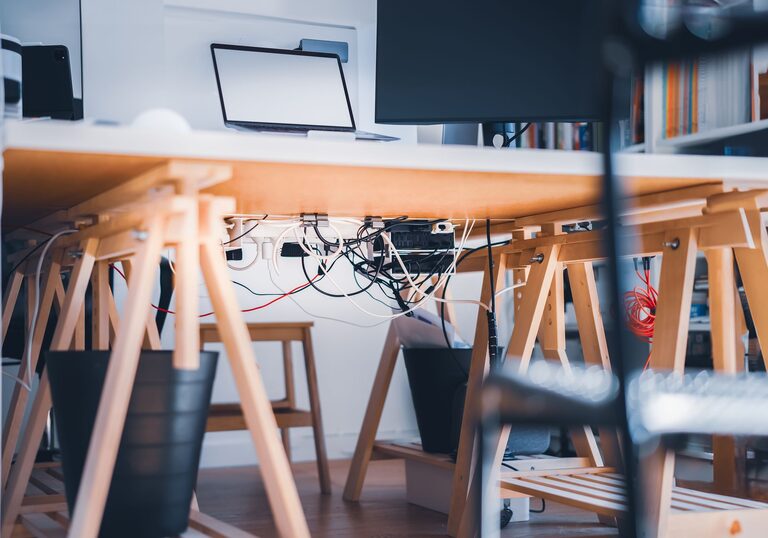
– Use cable organizers to prevent wire tangles.
Small daily habits go a long way in maintaining a pleasant workspace.
Conclusion
Refreshing your workspace doesn’t require a major overhaul or a lot of time. In just ten minutes, you can clear clutter, clean surfaces, organize essentials, and add a personal touch that inspires you. A neat and inviting environment will help you focus better and feel more motivated throughout your day. Try this quick refresh routine regularly, and enjoy a more productive workspace with minimal effort.
About the Author